Screening Storefront Access Requests: AI That Judges by Your Rules
Nymble's AI researches every wholesale access request against your own approval criteria — it drafts those criteria for you, weights the signals you care about, and shows the evidence behind every score.
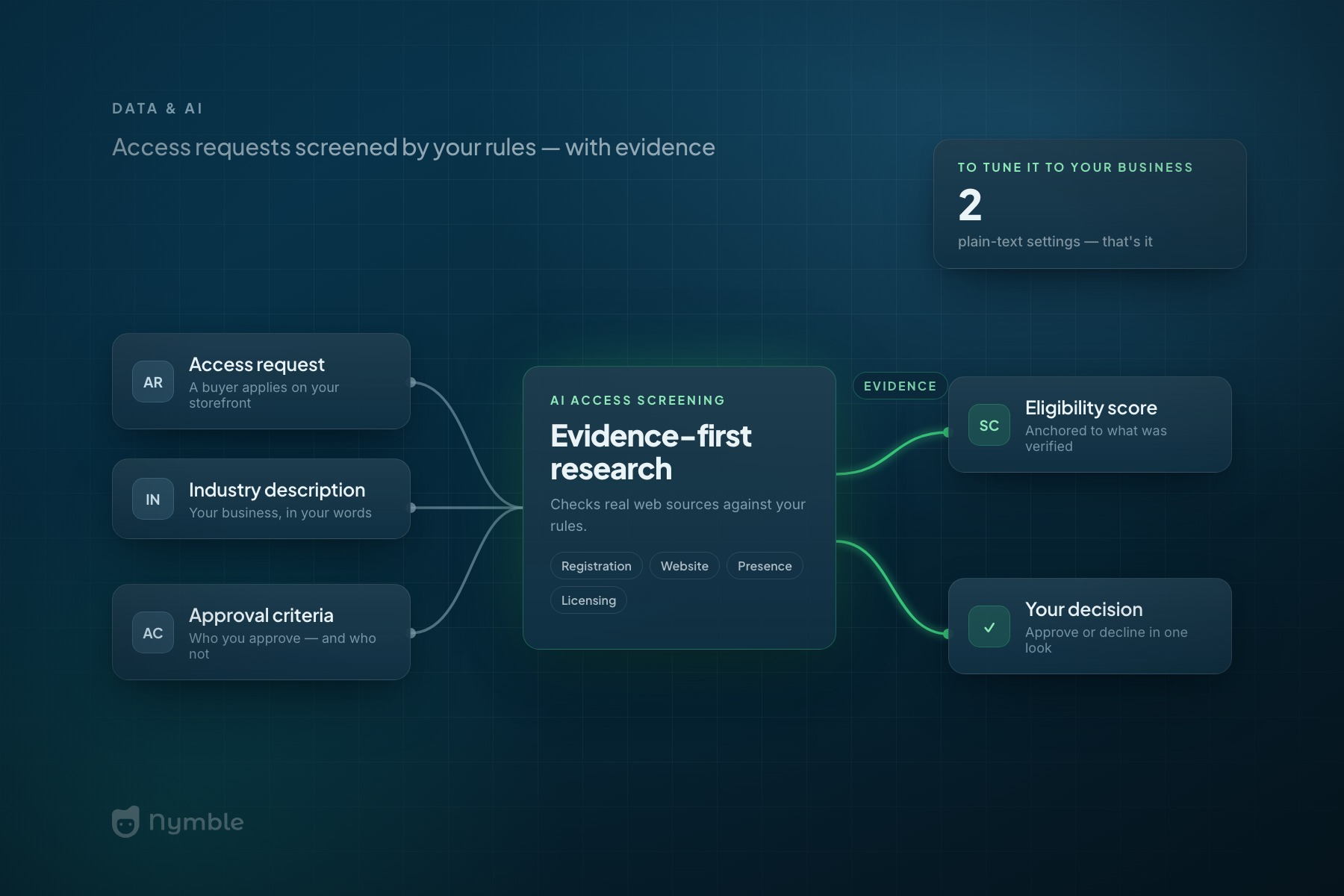
Every wholesale storefront has a gate. Retail buyers don’t get your B2B pricing by clicking “sign up” — they request access, and someone on your team decides whether to let them in. That decision is real work: is this an actual business, or a bargain hunter with a Gmail address? Do they operate in your industry? Are they the kind of account you’d hand to a rep?
For most wholesalers, that means tab-hopping. Look up the business registration. Load their website. Search for reviews, a storefront photo, anything that says this company exists and buys what we sell. Ten minutes per request on a good day — and when requests queue up, either approvals slow down or the checks get skipped.
Nymble’s Storefront has had AI-assisted screening for a while: request comes in, the AI researches the applicant, and you get a report with an eligibility score in the Web Admin. The recent updates make that research dramatically more useful: it verifies applicants against real web sources, you can tune it to your business — and now it even writes its own setup, researching your company to draft your criteria before you’ve typed a word.
Your industry, your approval criteria
Open Organization Settings in the Web Admin and you’ll find two new research settings, both plain text boxes:
- Industry description — what your business is and what you sell, in your own words. No dropdown of industries to squeeze yourself into. If you sell professional beauty supplies to licensed salons, say that; if you distribute industrial fasteners to machine shops, say that instead. The AI’s checks follow your description — including which credentials or licenses are even worth looking for.
- Approval criteria — who you approve as a B2B customer, and who you don’t. “Brick-and-mortar retailers with a storefront in North America; no online-only resellers” is a perfectly good criterion. The eligibility assessment judges every applicant against your rules, not a generic idea of what a wholesale buyer looks like.
Both fields are optional. Leave them empty and screening still runs with sensible generic criteria — but a few sentences here turn a general-purpose researcher into one that thinks like your own credit department.
A first draft, written for you
Describing your own business from a blank page is harder than it sounds — which is why blank settings pages tend to stay blank. So Nymble now writes the first draft. The first time you open Research settings, it researches your own company the same way it researches applicants — your name, your website, your address, checked against real web sources — and drafts both fields for you while you watch.
The draft arrives clearly marked as an AI suggestion, and nothing is saved until you’ve reviewed it, edited it, and hit Save. It follows the same evidence-first rule as the scoring: if the research can’t find much about your company, the draft stays conservative instead of inventing product lines or certifications you don’t have. You get a starting point in your own industry’s language, not homework.
Tell it what matters most
Not every verification signal deserves equal weight, and yours aren’t the same as the wholesaler’s next door. A distributor selling to licensed trades cares about credentials above all; a giftware brand mostly wants proof there’s a real shop behind the request.
The drafted approval criteria now come with that dial built in: a weighting section that sorts verification signals into High, Medium, and Low — business registration, a working website, industry licensing, active social media, directory listings and reviews, and more. It’s plain text, so tuning it is just editing a line: promote what matters to you, demote what doesn’t.
The eligibility assessment follows your levels. An unverified High signal drags a score down hard; Low signals barely nudge it — and a pile of verified Low signals can’t prop up an applicant who fails the checks you called important. Every check in the research report is tagged with the factor it addressed, so you can see your weights being applied, request by request. One boundary holds no matter what: weights tune the score, they never override the evidence. An applicant nothing could be verified about reads as risky under any settings.
A score you can argue with
The second half of the update is about trust. An eligibility score is only useful if you can see why — so the research engine now works evidence-first:
- It checks real sources. The AI searches the web for the applicant: business registration, their website, their online presence. It reports what it verified, not what it assumes.
- The score is anchored to the evidence. Every report lists what was confirmed and what wasn’t, and the score is required to be consistent with that list. An applicant where nothing could be verified can’t ride a hunch to a high score — it reads exactly as risky as it is.
We’ve written before that B2B AI has to be transparent and narrow — that a good vendor should show where an answer comes from and flag uncertainty instead of guessing. This is what that looks like in the product. The point of the score isn’t to replace your judgment; it’s to hand you the research already done, with receipts, so a decision that took ten minutes of tab-hopping takes one look.
What this changes for your team
The workflow after this update is short. Open Research settings once — the first draft is already written; review it, tune the signal weights, save. From then on, every storefront access request arrives with a report built for your business: checks that match your industry, an assessment weighted by your own approval criteria, and an evidence-backed score. Strong applicants are easy to wave through; weak ones come flagged with the specific reasons why. And a new AI usage panel in the Web Admin shows what your organization’s AI features are using and costing, at a glance.
Gatekeeping your wholesale pricing shouldn’t be a part-time research job. Tell Nymble what you sell and who you approve — it handles the tab-hopping.
Access-request screening lives in the Web Admin, on your B2B Storefront’s access requests. New to Nymble? See it in a demo.